 MRO Excellence System
Find the part
Record part IDs, descriptions, equipment, bin locations, suppliers, lead times and criticality.
Practical tools for the storeroom
A branded dashboard, live charts and what-if planning bring your parts list, stock movements and purchasing review together in one Excel workbook. Built for small maintenance teams ready to organize their spare-parts inventory.
$29 USD, one-time purchase. Excel .xlsx. No macros or subscription.
Secure Stripe checkout. Download after confirmed payment.
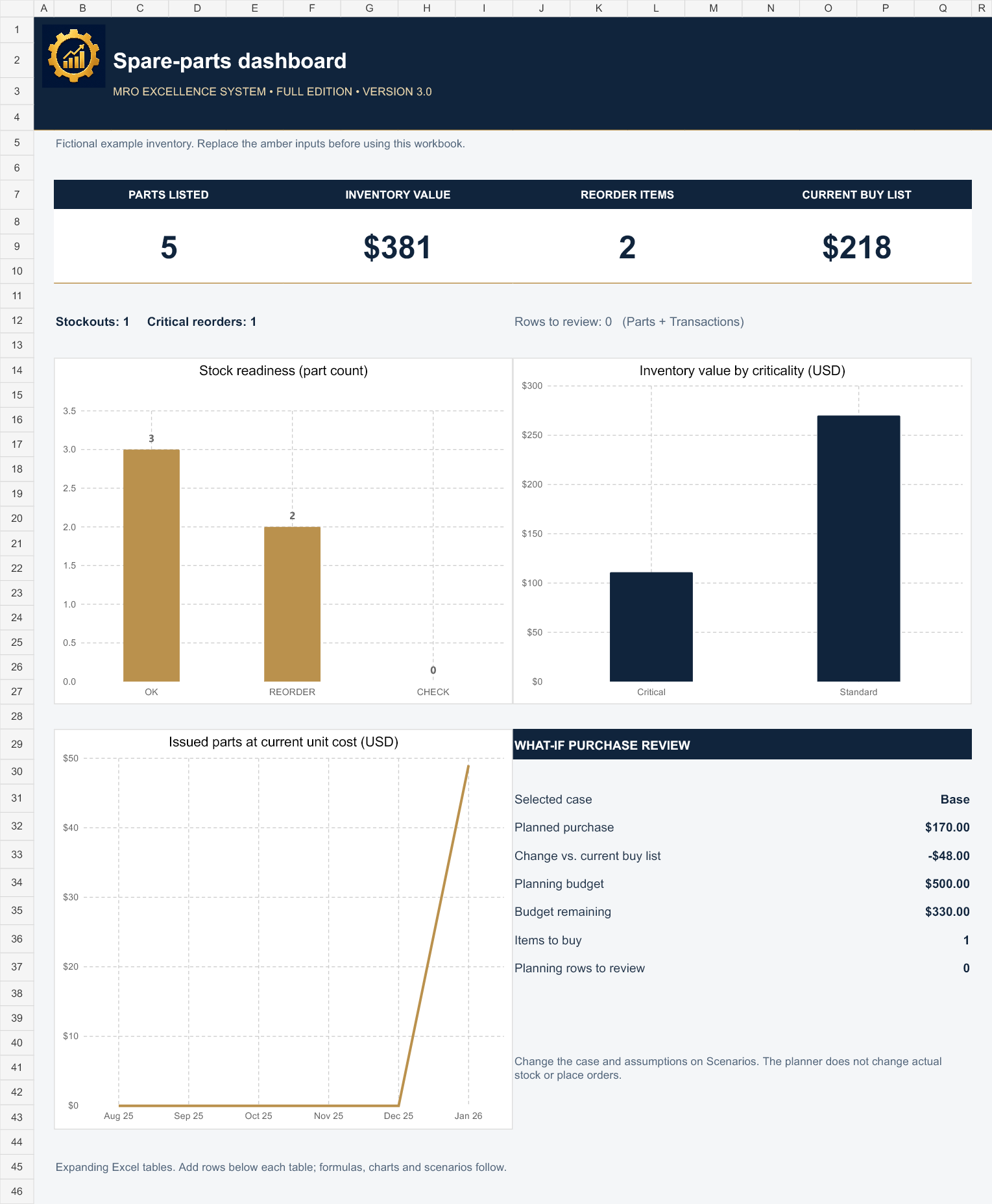
Actual workbook preview. Numbers shown are fictional examples.
Record part IDs, descriptions, equipment, bin locations, suppliers, lead times and criticality.
Log receipts, issues and count adjustments. On-hand balances and inventory values update from your entries.
Set your reorder points and target quantities. Review suggested purchases alongside open orders.
| Included | Free sample | Full edition |
|---|---|---|
| Parts | 10-part limit | Automatically expanding table |
| Transactions | 25-transaction limit | Automatically expanding table |
| Stock and reorder formulas | Yes | Yes |
| Branded graphical dashboard and three live charts | Yes | Yes |
| Demand, supplier delay and cost scenarios | Yes | Yes |
| Five fictional example parts | Yes | Yes |
| Instructions and input checks | Yes | Yes |
| Price | Free | $29 USD once |
The free sample includes MRO sample watermarks, protected formulas and $29 upgrade links. Its charts and all three what-if cases remain functional within the 10-part and 25-transaction limits. No email address is required to download it.
Test higher demand, longer supplier lead times, safety coverage and cost changes. Compare the selected case with your current buy list and an editable purchasing budget. Actual inventory stays unchanged.
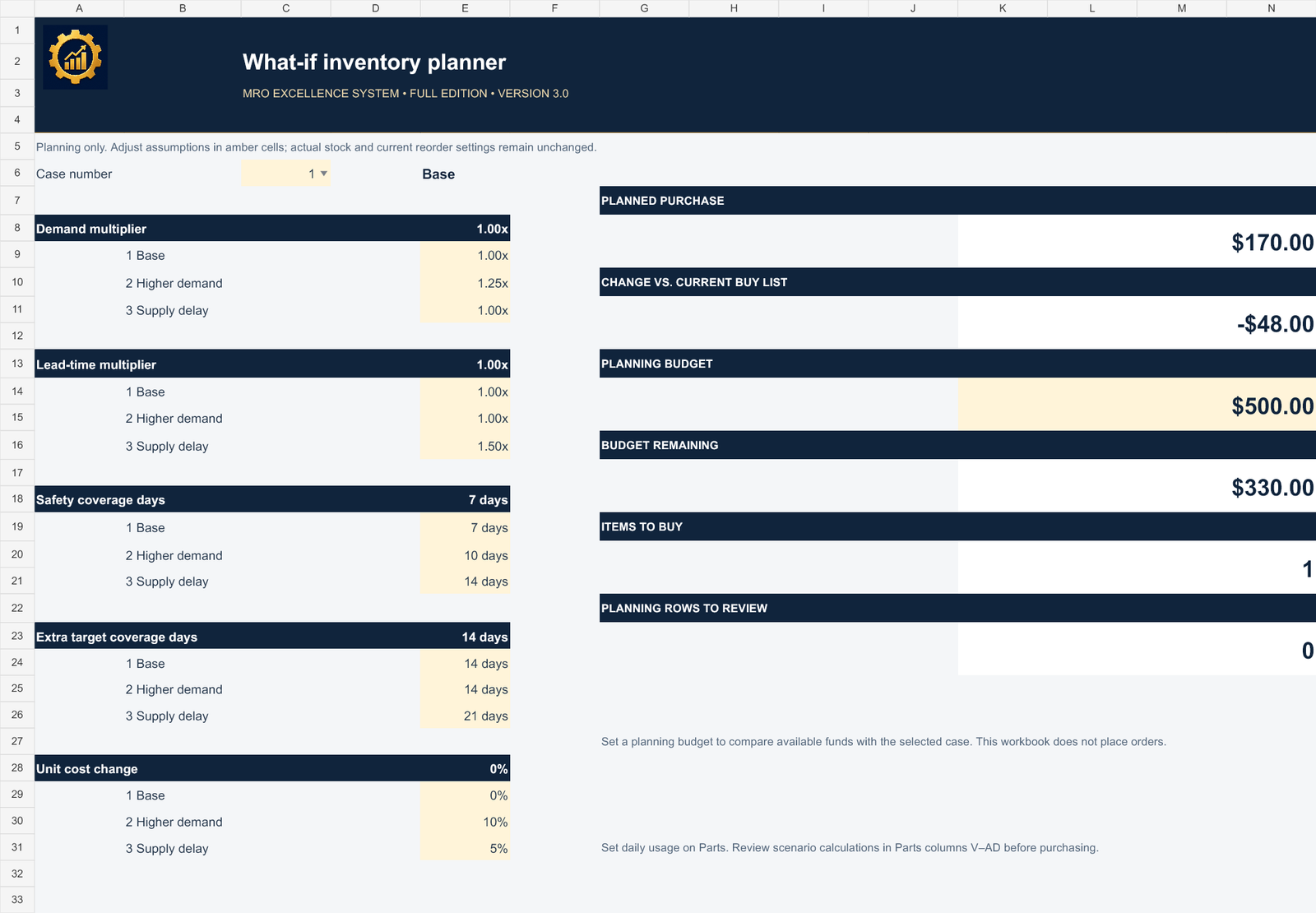
Editable example cases. Change the amber inputs to match your operation.
Reorder points and target quantities are entered by you. The tracker supports purchasing decisions; it does not place orders or connect to your suppliers.
Microsoft Excel for desktop is recommended. Both editions have been tested in Excel for Windows. The workbook uses standard formulas and contains no macros. Download the free sample to check compatibility with your version before buying. Google Sheets import and other spreadsheet apps have not been independently tested.
No. This is a separate, focused inventory tracker sold for $29. Existing access to the book’s Companion Toolkit remains unchanged.
After Stripe confirms payment, a private download page provides the full workbook. A download link is also sent to the email supplied at checkout. Delayed payment methods must clear before access is released.
Internal use within one business. Make working copies for your team, but do not resell or redistribute the template. The purchase is a digital workbook, not consulting, a software subscription or an automatic inventory integration.
The full edition has no fixed template caps. Add a row directly below either Excel table, or press Tab from its final cell. Calculated columns, dashboard summaries and the scenario plan expand with the tables, within Excel worksheet and computer performance limits. It tracks current balances, not historical inventory valuation. Reservations, backorders and multi-currency accounting are not modeled. Scenario detail is calculated in the growing Parts table, columns V–AD. Keep one unit of measure per part.
For download problems, product questions or a refund request, email contact@mroexcellencesystem.com with your receipt. Please try the free sample before purchasing.